You don't need to sit on hold to get your TV back. Most DStv error codes can be cleared with your phone, the remote and a bit of patience, often in under 15 minutes. This guide sorts the self-help tools by what they fix, so you can pick the right one first time and only book a visit when nothing else works.
Quick answer: To clear DStv error codes yourself, match the code to the tool. Account codes such as E16, E17 and E19 clear with Fix error in MyDStv. Smartcard codes usually go after cleaning and reseating the card. Signal codes like E48-32 need a cable check and a restart at the wall, or simply better weather.
Five self-help tools that clear most DStv error codes
Think of these as a toolbox. Each one handles a different family of faults, and none of them involves going outside. If the box is brand new, start with activating a DStv decoder instead.
- Fix error online: in MyDStv on dstv.com or the app, for account and subscription codes.
- DStv WhatsApp self-service: handy when you're away from a computer.
- A proper power restart: off at the wall, not just standby on the remote.
- A smartcard clean: for codes that say the card can't be read.
- Waiting: some codes are just the decoder busy checking or rescanning.
Tool 1: Fix error in MyDStv
DStv marks several codes as "can be cleared online". These include E16 (service scrambled), E17 (no active subscription), E19 (subscription expired), E30 (checking subscription status) and E42 (parental control lock).
- Sign in to MyDStv in the app or on dstv.com and look at the balance and package status.
- If anything is owing, pay the full amount first. Fix error can't switch on an unpaid account.
- Open the Fix errors option and follow the prompts for your decoder.
- Leave the decoder on, tuned to a DStv channel, for up to 15 minutes.
Our MyDStv app guide shows where everything sits in the app. For a deeper look at the most common account code, see our E16 fix guide.
Tool 2: Restart the decoder the right way
Pressing standby on the remote doesn't reset anything. DStv's own advice for signal codes is to switch the decoder off at the wall plug and wait at least 10 seconds before turning it back on.
That short break lets the decoder reload and look for signal from scratch. It's also the first thing to try after a power trip in a storm. We cover what else to check in decoder restarts after power cuts.
Safety first: Only use the wall switch, and keep hands dry. If the plug, multiplug or decoder smells burnt or feels hot, leave it off and call us. Never open the decoder, and don't go up a ladder or onto the roof to look at the dish.
Tool 3: Clean and reseat the smartcard
Codes such as E04 (insert smartcard), E06 (smartcard failure), E33-4 (insert correct smartcard) and Error 51 all mean the decoder can't read the card properly. Dust and a card that's slightly out of place are the usual culprits.
- Switch the decoder off at the plug.
- Slide the smartcard out and wipe the chip with a soft, dry cloth.
- Push it back in with the chip facing down, as DStv advises.
- Switch on and give it a minute to start up.
If the card still won't read, DStv suggests taking the decoder and card to a service centre for testing. We've written more on clearing Error 51 and on the E141-4 smartcard error.
Need a hand in Franschhoek?
Tell us what you need or what your screen shows. We give you a clear price before we drive out.
Tool 4: Let the weather pass
E48-32 and E30-2 often show up when a winter front parks over the valley. Thick cloud and heavy rain weaken the signal from the satellite, and the picture usually returns once the worst has moved through.
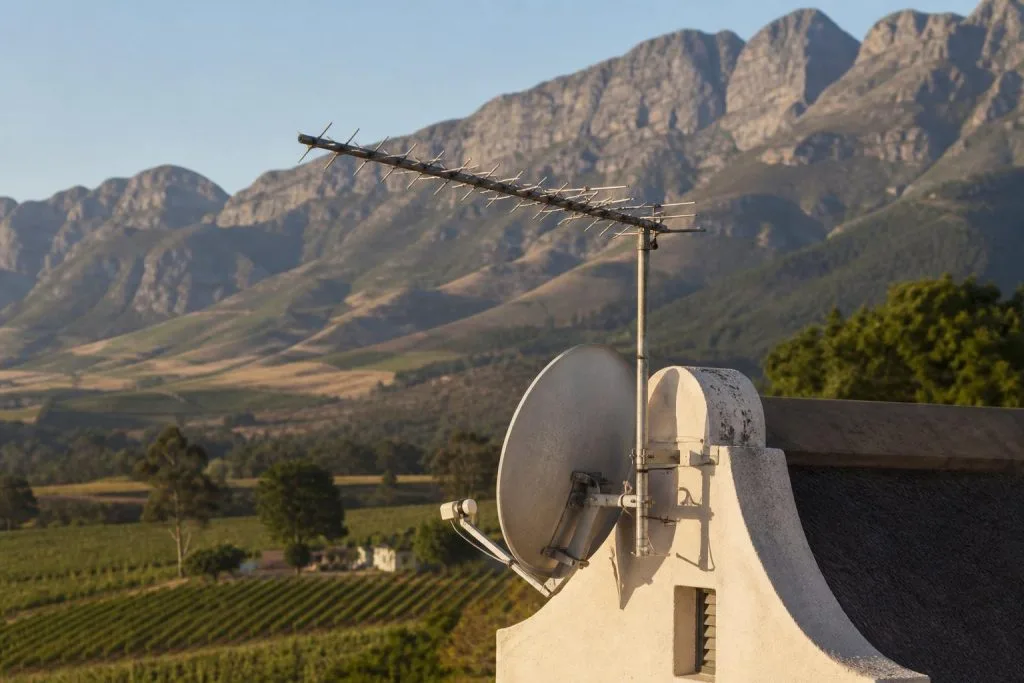
Franschhoek has an extra twist. The mountains around the village sit high on the horizon, and a dish with only a little spare signal can drop out during rain that a town on the flats would ride through. Read why in our piece on no signal when it rains.
Good to know: E72 means a rescan is running. Don't switch off. DStv says the picture comes back on its own once the scan finishes.
Which DStv error codes you can clear yourself
| Code | Best self-help tool | How long to give it |
|---|---|---|
| E16, E17, E19 | Pay any balance, then Fix error | Up to 15 minutes |
| E30 | Wait, then Fix error | About 5 minutes on its own |
| E42 | Enter your PIN, or reset it with Fix error | Up to 15 minutes |
| E04, E06, E33-4, E51 | Clean and reseat the smartcard | A minute after start-up |
| E48-32, E30-2 | Wait for the weather, check cables, restart at the wall | Until the rain eases |
| E37 | Restart and rescan the decoder | Until the scan is done |
Clearing DStv fault codes at a lock-up-and-go or guest farm
Many homes in Bo-Dorp and along the La Provence side stand empty between visits. A decoder that's been off for weeks can show E19 when you get back, because DStv lists long inactivity as one cause. Switch it on, leave it on a channel and run Fix error.
Guest farms out towards Wemmershoek and Simondium often have long cable runs from the dish to the main house. When DStv fault codes appear in only one cottage, check that room's cable plugs first. If several rooms show DStv problem codes at once, the fault is usually shared, nearer the dish.
When DStv error codes won't clear at home
Self-help stops at the front door. If you've tried the right tool and the code is still there, the cause is probably outside: a dish knocked off line, a corroded connector or a tired LNB.
- E48-32 in dry weather after a cable check and a restart.
- Rain drop-outs that have become much more frequent than last winter.
- E74 or E75, which DStv describes as LNB overload codes.
That's where our DStv signal repairs come in. We test on a meter, fix the fault and show you the readings before we leave.
Book a signal check in Franschhoek
If these steps don't fix it, call a technician rather than guessing. Tell us the code and how to clear DStv error code attempts went, using our contact form. We quote first, before we drive out.
As local DStv installers in Franschhoek, we cover the village, La Motte and Groendal, often the same or next day, depending on the schedule.
Talk to our Franschhoek team
We work across Franschhoek, La Motte, Groendal, Wemmershoek, Simondium and nearby. Call or WhatsApp us and we will tell you the practical next step.
DStv error codes: FAQs
How do I clear DStv error codes via WhatsApp?
Use DStv's WhatsApp self-service from your phone. It can show your account status and help clear account-related codes such as E16, much like Fix error in MyDStv. Keep the decoder switched on and on a DStv channel while you do it, then allow up to 15 minutes.
How long does it take for a DStv error code to clear?
DStv says codes cleared online can take up to 15 minutes. Plain E30 normally clears by itself in about five minutes. Weather-related codes like E48-32 last until the heavy cloud or rain moves away.
Why does my DStv keep showing errors in Franschhoek when it rains?
Heavy winter rain and low cloud weaken the satellite signal, and the high mountains around the valley leave some dishes with less spare signal. A dish that's slightly off line drops out sooner. If it happens in light rain too, have the alignment checked.
Do I need to restart my decoder after paying DStv?
Not usually. Leave the decoder on and tuned to a DStv channel so it can receive the switch-on. If the code is still there after a while, use Fix error in MyDStv rather than switching off at the wall.
Which DStv error codes can't be cleared online?
Signal and hardware codes such as E48-32, E74 and E75 can't be fixed from the app, because the problem sits in the dish, LNB or cabling. Smartcard codes need the card cleaned and reseated. If those steps fail, a technician or a DStv service centre is the next stop.
Need a DSTV technician?
Same-day DSTV installation, signal repair and Explora setup across Franschhoek and the Cape Winelands.