Short answer
The DStv WiFi Connector is a small USB dongle that gets an Explora onto your home WiFi when the decoder has no wireless built in. Once it is connected, the decoder can reach Catch Up, Showmax, BoxOffice and the connected parts of the DStv menu.
It does nothing for your satellite reception. If live channels are showing E48-32 or no signal, that is a dish problem and no amount of WiFi will fix it.
Not every Explora needs one. The newer models have WiFi built in: check yours before buying anything.
What the WiFi Connector actually does
There are two completely separate feeds running into a DStv decoder, and people mix them up constantly. The satellite cable from the dish brings you live television. The internet connection brings you everything else: Catch Up, Showmax, BoxOffice, the on-demand rails in the menu and the bits of the DStv app that talk to your decoder.
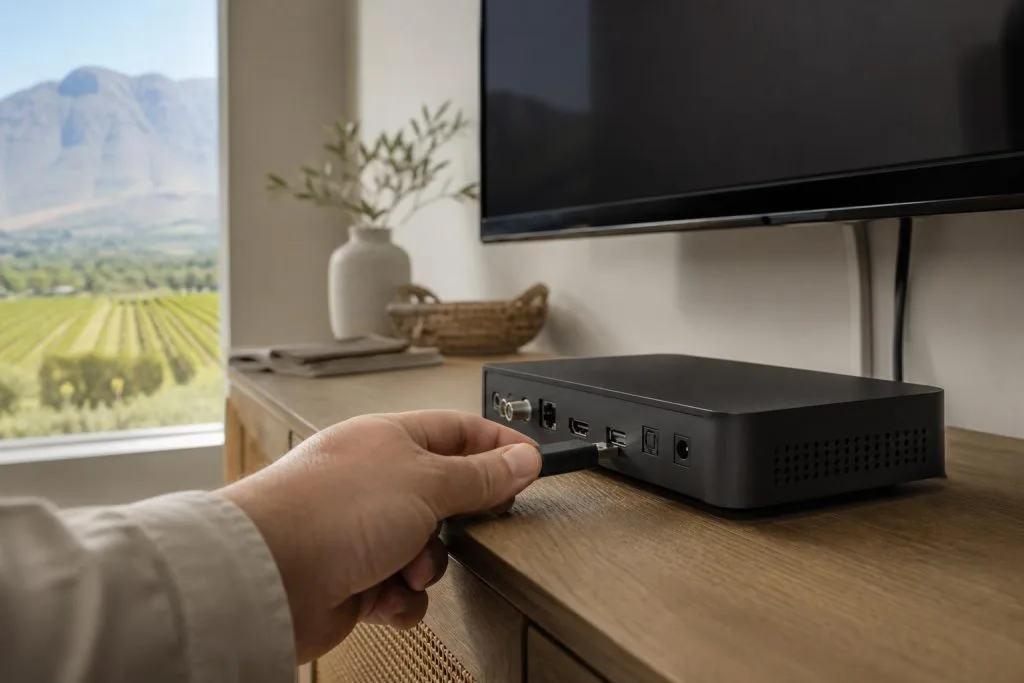
The WiFi Connector only deals with the second one. It plugs into a USB port on the back of the decoder and gives it a wireless network card it did not previously have. That is genuinely all it does.
We mention this because it comes up on call-outs more than you would expect. Someone buys a connector hoping it will stop the picture breaking up in the wind, and of course it does not. Pixelation in bad weather is an alignment, cable or LNB issue every time.
Does your decoder even need one?
This is the part worth checking before you spend anything. The Explora Ultra and the more recent Explora hardware have wireless built in, so a connector is redundant. Older Explora units generally do not, which is exactly why the accessory exists.
The quickest way to tell: go into the decoder’s network or connectivity settings and look for a WiFi option. If the decoder offers to scan for wireless networks on its own, you are done. If the only option is a wired connection, you need either the connector or an Ethernet cable.
Also worth knowing before you buy: it is a DStv accessory, so a generic USB WiFi dongle from a computer shop will usually not work. The decoder is looking for specific hardware, not any adapter that physically fits the port.
Setting it up, step by step
- Power the decoder down properly before you plug anything in. Not standby: off at the wall.
- Insert the connector into a free USB port on the decoder. On most Explora models these sit on the rear panel.
- Power the decoder back up and give it a minute to recognise the new hardware.
- Press Menu, then go to Settings and find the network or connectivity section.
- Choose the wireless option and let the decoder scan for networks.
- Pick your home network and enter the password. Take your time here: the on-screen keyboard is fiddly and a mistyped password is the single most common reason this fails.
- Wait for the confirmation, then test with something that actually needs the internet, like opening Catch Up.
If the decoder connects but Catch Up still will not load, give it a few minutes. A decoder that has been offline for a long stretch sometimes pulls an update before the connected features start behaving.
When WiFi is the wrong answer
A wireless link is convenient, but it is not always the right call. Around Franschhoek we deal with a lot of older properties with thick stone and brick walls, plus converted cottages and guest wings that sit a long way from wherever the router ended up. WiFi struggles in exactly those conditions.
If the television is more than a couple of rooms away from the router, a wired connection will nearly always be more stable than a dongle. An Ethernet run to the TV point costs a bit more upfront and then simply works, which matters if the household actually uses Showmax rather than just having it available.
Cheap WiFi extenders are a false economy here. Repeating an already-weak signal gives you a connection that reports as connected while streams keep stalling, which is harder to diagnose than no connection at all. Our guide to guesthouse WiFi, access points and cabling goes into how to cover a larger property properly.
When it connects but still does not work
A successful WiFi connection only proves the decoder joined your local network. It does not prove the internet line beyond the router is healthy. Check that a phone sitting next to the television can load a web page on the same network before assuming the decoder is at fault.
A few other things we see regularly:
- The router name or password changed. Fibre installs and router swaps quietly break a decoder that was working fine for a year. Forget the stored network and reconnect.
- Load-shedding. If the router is off, the decoder is offline. Live satellite channels keep working on backup power, connected features do not.
- The connector worked loose. Anything on a rear USB port gets knocked when the unit is moved for cleaning or cable work.
- Someone reset the decoder. A factory reset clears the stored WiFi details along with everything else.
Resist the urge to factory-reset as a first step. It wipes settings without fixing a weak signal, and you then have to set the whole thing up again. Work outward from the network instead. Our guide to connecting a DStv Explora to WiFi and the internet covers the full sequence, wired and wireless.
What it costs
The connector is an inexpensive accessory rather than a major purchase: it sits well below what a decoder costs, and considerably below a dish or LNB replacement. Prices move with stock and retailer, so confirm the current figure with DStv or the shop before travelling.
Worth comparing honestly: if you are going to spend on a connector and it still will not reach the router reliably, that money is better put toward a proper cable run. For the wider equipment picture, our DStv decoder cost guide and the DStv packages and price list separate once-off hardware from the monthly subscription.
Frequently asked questions
Will a WiFi connector improve my picture quality?
No. Picture quality on live channels comes from the dish, LNB and cabling. The connector only affects internet-based features like Catch Up and Showmax.
Can I use any USB WiFi dongle?
Generally not. The decoder expects the DStv accessory rather than a standard computer adapter, so a generic dongle usually will not be recognised even though it fits the port.
Does the Explora Ultra need one?
No. The Ultra has wireless built in, so you connect it straight to your network without extra hardware.
Is a cable better than WiFi?
For anything more than a short distance, yes. Ethernet is more stable, particularly in older buildings with thick walls where a wireless signal loses a lot on the way.
Will it work during load-shedding?
Only if the router is also on backup power. The decoder alone is not enough: the whole chain from the fibre box to the router has to stay up.
Based in Franschhoek or the surrounding Winelands? We connect Explora decoders to home networks as part of every install, wired or wireless, and we will tell you honestly which one your property needs. See our decoder setup service or our WiFi and network cabling service. Call 079 754 5527 or request a free quote.
Need a DSTV technician?
Same-day DSTV installation, signal repair and Explora setup across Franschhoek and the Cape Winelands.