A DStv Explora needs more than a power lead and HDMI cable. The decoder depends on a stable satellite feed, a compatible LNB, correct cabling and accurate dish alignment. If any part of that chain is marginal, the symptoms may look like a decoder fault even when the decoder is working correctly.
The recommended satellite dish
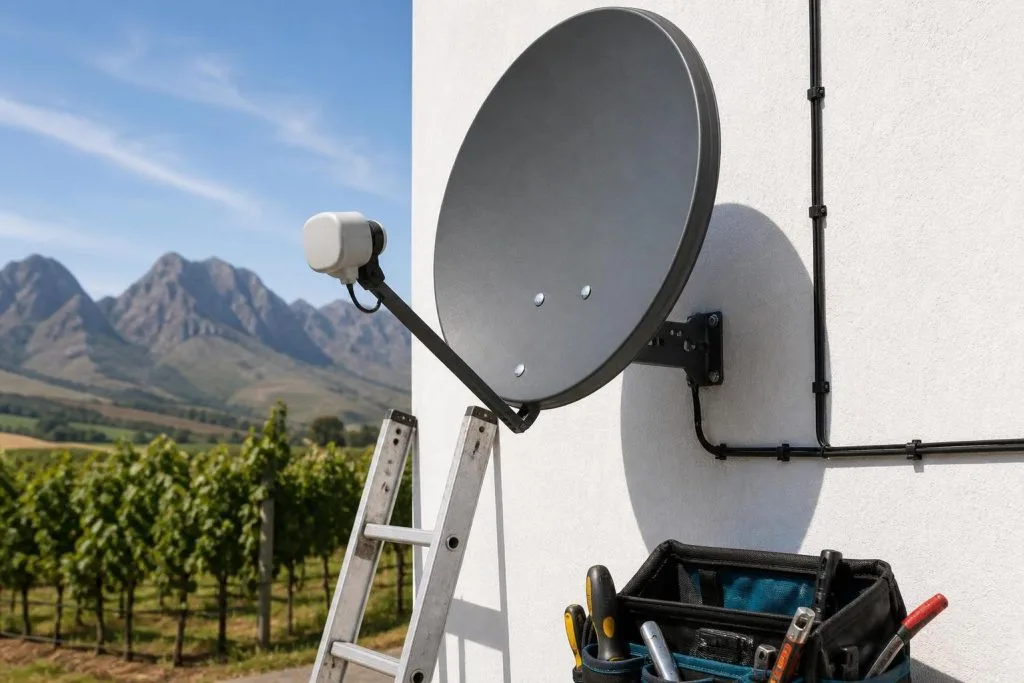
Official DStv guidance recommends an 80cm satellite dish with a DStv Smart LNB for Explora models. Dish size is important because the system needs enough signal margin to remain stable when conditions deteriorate. A smaller, damaged or poorly mounted dish can produce acceptable readings on a clear day and still break up when wind or rain arrives.
The bracket and wall matter too. Franschhoek properties include modern homes, older village buildings, farms and guest cottages, so there is no universal mounting point. The installer must find clear line of sight, solid fixing material and a cable route that does not create avoidable leaks or visible clutter. If the existing dish has moved, corroded or warped, book a satellite dish assessment before blaming the decoder.
Why the Smart LNB matters
The Smart LNB receives the satellite signal at the dish and supplies the correct feeds to compatible decoders. It reduces the amount of separate switching hardware required and supports the Unicable arrangement used by Explora installations. The correct output must be used, and unused outdoor connections should remain protected from moisture.
An aging or water-damaged LNB can cause missing channels, intermittent picture breakup and total signal loss. Because similar symptoms can come from alignment or cable damage, parts should be tested rather than replaced by guesswork.
Satellite cabling requirements
Use proper 75-ohm satellite coaxial cable with correctly fitted F-connectors. Cable quality, length, sharp bends, crushed sections and poor joins all affect the signal arriving at the decoder. Outdoor connectors need weather protection, while indoor cable should be routed away from avoidable damage and electrical interference.
- Avoid loose twist-on joints and exposed copper braid.
- Do not staple or bend coaxial cable tightly.
- Replace water-contaminated sections rather than trimming only the visible end.
- Label cables in multi-decoder installations.
- Test at the decoder after the final route is complete.
HDMI, power and television connection
The satellite feed connects the decoder to the dish; HDMI carries picture and sound to the television. The TV must have a suitable HDMI input and the correct source selected. Use a stable power outlet, preferably with sensible surge protection, because repeated outages and voltage events can damage power supplies and connected electronics.
Does an Explora require internet?
Internet is not the satellite signal source, so live satellite viewing does not depend on WiFi in the same way streaming does. An internet connection is needed for connected features and online services supported by the decoder. Where the router is far from the television, a properly planned WiFi or network connection is more reliable than assuming a weak signal will be sufficient.
Explora with XtraView
Linking an Explora to another decoder introduces additional compatibility, cabling and configuration requirements. The primary and secondary roles must be correct, both decoders need the appropriate subscription arrangement, and heartbeat communication must remain stable. Read our guide to how DStv Extra View works before choosing the room layout.
Final installation checks
A complete Explora installation in Franschhoek should finish with signal testing, decoder activation, channel checks, remote testing and a brief explanation of the connections. Call 079 754 5527 if you need an existing dish assessed or a new Explora setup planned for the property.
Can existing equipment be reused?
An existing 80cm dish, sound bracket, compatible Smart LNB and undamaged cable may be reusable, but age alone does not decide. The mount must be secure, the dish must retain its shape, the LNB must provide the required outputs and the cable must pass testing. Reusing good equipment saves cost; reusing marginal equipment creates repeat visits.
Frequently asked questions
Can an Explora use a small old dish?
The recommended setup is an 80cm dish with a Smart LNB. Existing equipment should be measured and checked for compatibility.
Does the installer supply the decoder?
Supply arrangements vary. Confirm whether the quotation includes decoder, dish kit, LNB, cable, activation and labour.
How long does installation take?
A straightforward setup may be completed quickly, while roof access, long routes and multi-room work take longer. A site description helps estimate time.
Why does picture break up only in rain?
The system may lack signal margin because of slight misalignment, a weak LNB, cable loss or an obstructed dish. Clear-weather viewing does not prove the setup is optimal.
If your current dish does not meet these requirements, book our DStv Explora installation service for the full upgrade.
Based in Franschhoek or the surrounding Winelands? We install and configure Explora and Explora Ultra decoders, including the Smart LNB swap most upgrades turn out to need. See our Explora installation service, or start at our Franschhoek DStv team for everything we cover across the valley. Call 079 754 5527 or request a free quote.
Need a DSTV technician?
Same-day DSTV installation, signal repair and Explora setup across Franschhoek and the Cape Winelands.