Most people who want to upgrade old DStv decoder units in Franschhoek ask us one thing first: what happens to my recordings? The honest answer is that they stay on the old box. The good news is that with a bit of planning you don't have to lose a single show you care about.
Quick answer: Recordings live on the old decoder's own hard drive and can't be copied to a new box. To upgrade old DStv decoder setups without losing them, watch down the list first, keep the old Explora running on a second TV for a while, or rely on Catch Up for shows that are still available. Then swap.
Why your recordings can't move to the new box
Every Explora saves its recordings on a built-in hard drive. That content is protected for copyright reasons, so it's locked to the decoder that made it. You can't copy it to a flash drive, a laptop or another decoder.
So a "transfer" isn't really on the table. What you can control is the timing. If the old box still works, you decide when it gets switched off, and that gives you room to save what matters. If the box is only slow, a DStv decoder software update may buy you time.
Good to know: A factory reset wipes recordings and scheduled recordings too. Don't reset the old Explora "just to tidy up" before you've finished with it.
Do a recording audit before you upgrade old DStv decoder units
Sit down with the remote one evening and go through the playlist. It takes about twenty minutes and saves a lot of regret later.
- Open the playlist and sort what's there into three groups: must keep, nice to have, and delete.
- Delete the third group straight away. Most families find half the list is old news, finished sport and cartoons the kids have outgrown.
- For the "nice to have" group, check whether the show is on Catch Up. If it is, you don't need the recording.
- Write down the "must keep" titles. That short list decides which of the options below suits you.
- Cancel series recordings you no longer follow, so the old box isn't filling up while you plan.
Three ways to keep shows when you upgrade an old DStv decoder
Option 1: watch the list down first
If the must-keep list is short, simply book the swap for two or three weeks out and watch it down. This is the cheapest route and works well in winter, when cloud and rain keep everyone indoors anyway.
Option 2: keep the old Explora on a second TV
If the old box is an Explora in good health, it can often move to the main bedroom or a cottage TV as a linked second decoder. You keep every recording on it and watch them there at your own pace. Our XtraView setup service covers the linking and the extra cable run.
At the time of writing, XtraView needs one Access Fee of R125 a month on top of your package. If your new main decoder is a PVR like the Explora Ultra, you're already paying that fee, so the second box costs nothing extra each month. Check current pricing with DStv before you commit.
Option 3: lean on Catch Up
Many series and shows sit on Catch Up for a while after they air. A new decoder that's connected to the internet can stream them again, so a lot of recordings don't need saving at all. If Catch Up has given you trouble before, our guide to fixing DStv Catch Up is worth a look.
Picking the latest DStv decoder for your home
Which new DStv decoder you choose affects how far the recordings issue matters next time. A bigger hard drive and internet features mean fewer worries later.
| Decoder | Records? | Promo price seen in 2026 | Suits |
|---|---|---|---|
| HD Single View | No | R499 (R799 installed) | A cottage or staff room with no recording needs |
| Explora | Yes | R1,499 | Families who record sport and series |
| Explora Ultra | Yes, about 110 hours | R2,999 | 4K TVs, streaming apps, built-in WiFi |
These are DStv promotional prices from early 2026, and prices vary since. Shops run their own specials too, so compare on the day and ask our team for a current quote. The box price usually excludes the dish, Smart LNB and labour, which our Explora installation page explains.
Need a hand in Franschhoek?
Tell us what you need or what your screen shows. We give you a clear price before we drive out.
Swap day: how we upgrade old DStv decoder setups in the valley
Once you're happy with your recordings plan, the swap itself is quick. Here's how a typical upgrade runs on a Franschhoek job, from a village cottage in Bo-Dorp to a guest farm near La Motte.
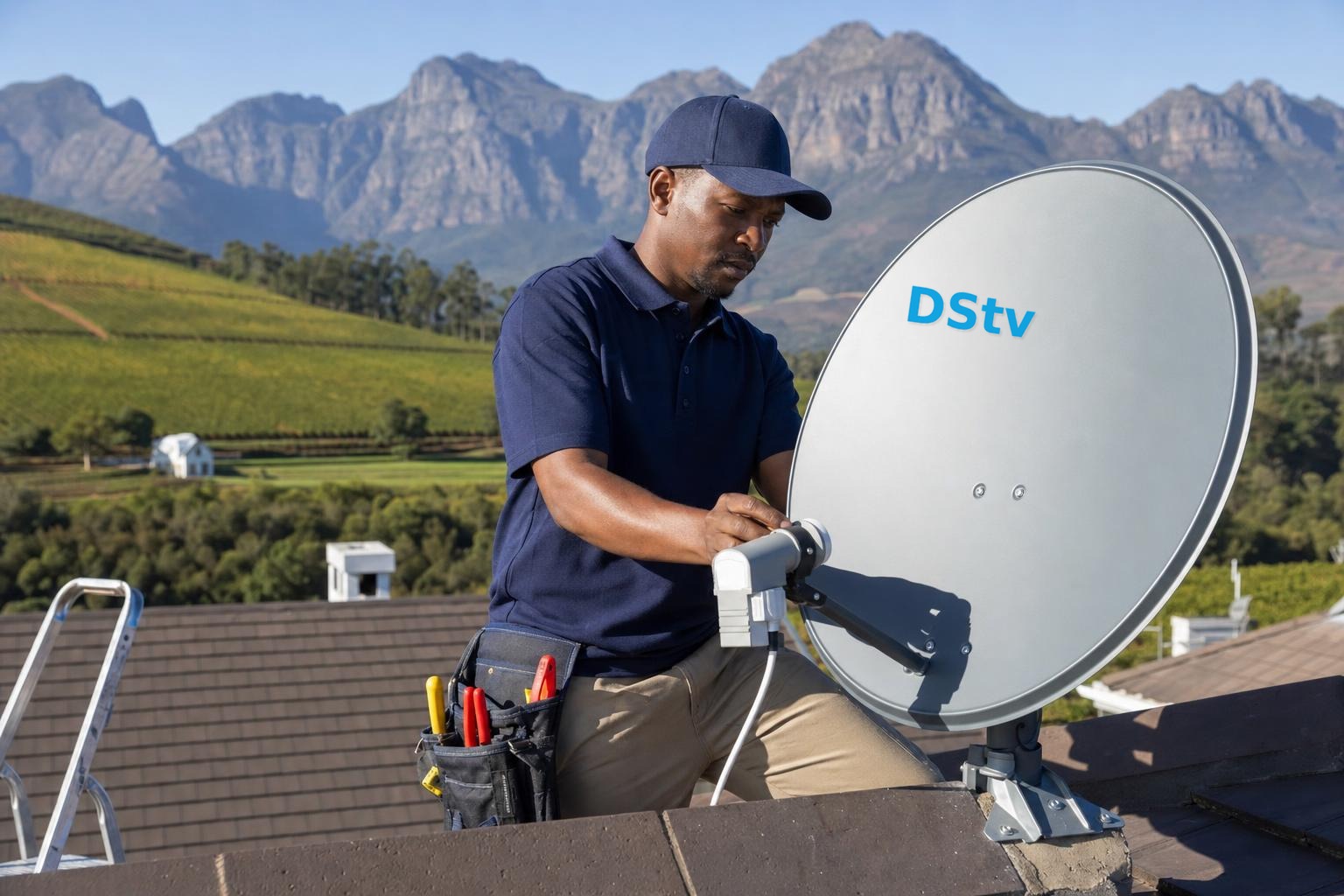
- We check the dish and LNB. An Explora needs a Smart LNB to feed its tuners, so older single LNBs are usually replaced.
- We test the signal quality on a meter. In winter the mountains around the valley sit high on the northern sky, so a dish with a tight view gets little margin in heavy rain.
- We connect the new decoder, run the setup and help you pair it to your account in the MyDStv app or with DStv.
- If the old Explora is staying as a second decoder, we run its cable and link the two boxes.
- We test every channel and recording function with you before we leave.
Safety first: Please don't climb onto the roof to swap the LNB yourself. Wet slate and steep cottage roofs in the village are slippery for most of winter, and LNB cabling is best left to a technician with the right ladder and meter.
Long farm driveways around Simondium and Wemmershoek sometimes mean the dish sits on an outbuilding far from the house. That longer cable run is one of the things that changes a quote, which is why our DStv installation team quotes first.
Technician tip: Holiday or lock-up-and-go home? Book the swap for a weekend you're there. You'll want to test the new box and your app login in person before you leave it for months.
What to do with the old decoder
People often ask if old DStv decoders are worth anything. A working Explora has real value to you as a second-room decoder, but very little resale value. Boxes that DStv no longer supports are worth even less.
If you sell or give the old box away, do the paperwork first. Our post on DStv decoder change of ownership explains how. Dead boxes belong at an e-waste drop-off, not in the bin.
Just bought an Explora and the hard drive has started acting up instead? Try the steps in our Explora hard drive fixes before you assume it needs replacing.
Book your decoder upgrade in Franschhoek
We'll look at your dish, your recordings plan and your budget, then give you a price before we drive out. Our team covers the whole valley, from Groendal to La Provence. Start with our page on DStv installation in Franschhoek, or contact our Franschhoek technicians on 079 754 5527 to book a time.
Talk to our Franschhoek team
We work across Franschhoek, La Motte, Groendal, Wemmershoek, Simondium and nearby. Call or WhatsApp us and we will tell you the practical next step.
Upgrade old DStv decoder: FAQs
Can I transfer recordings when I upgrade my old DStv decoder?
No. Recordings are saved on the old decoder's own hard drive and are protected, so they can't be copied to a new box, a flash drive or a computer. You can still keep them by watching them before the swap or by keeping the old Explora connected on a second TV.
How do I upgrade my old DStv decoder to a new one?
Buy the new decoder, then have the dish checked, since an Explora needs a Smart LNB. Once it's connected, the new box is paired to your account through the MyDStv app or DStv. A technician can do the LNB swap, cabling and setup in one visit.
Are old DStv decoders worth anything?
Not much on resale. A working Explora is most useful to you as a second decoder in another room. Older models that DStv no longer supports have little or no value, so recycle them at an e-waste drop-off once the change of ownership or cancellation is done.
What is the latest DStv decoder?
At the time of writing, the Explora Ultra is DStv's top satellite decoder. It supports 4K and HDR, has built-in WiFi and streaming apps, and records up to about 110 hours. The standard Explora and the HD Single View decoder are still sold too.
Do you upgrade decoders on farms outside Franschhoek?
Yes. We work across the valley, including guest farms and wine estates towards Simondium and Wemmershoek. Long cable runs and dishes on outbuildings can change the price, so we quote first and test the signal with you before we leave.
Need a DSTV technician?
Same-day DSTV installation, signal repair and Explora setup across Franschhoek and the Cape Winelands.